New Merach Rowing Machine? How to Set It Up and Start Rowing
You've unboxed your Merach rowing machine, bolted on the last foot and sat down on it for the first time. Now what? Most people row hard for five minutes, wonder what the numbers mean, and leave the rower in the corner. This guide makes sure you don't.
The short answer: put your Merach on a flat floor with a mat, strap your feet across the widest part of your foot, and start on a low-to-middle setting (about 4–6 of 16 on a magnetic Merach). Row 15–20 minutes, three times a week, at 20–24 strokes per minute, moving legs first, then body, then arms. Follow the two-week plan below, then move on to a structured programme.
Everything here works whichever Merach you bought, whether it's magnetic, water or air, and whether or not it has Bluetooth.
Which Merach rowing machine do you have?
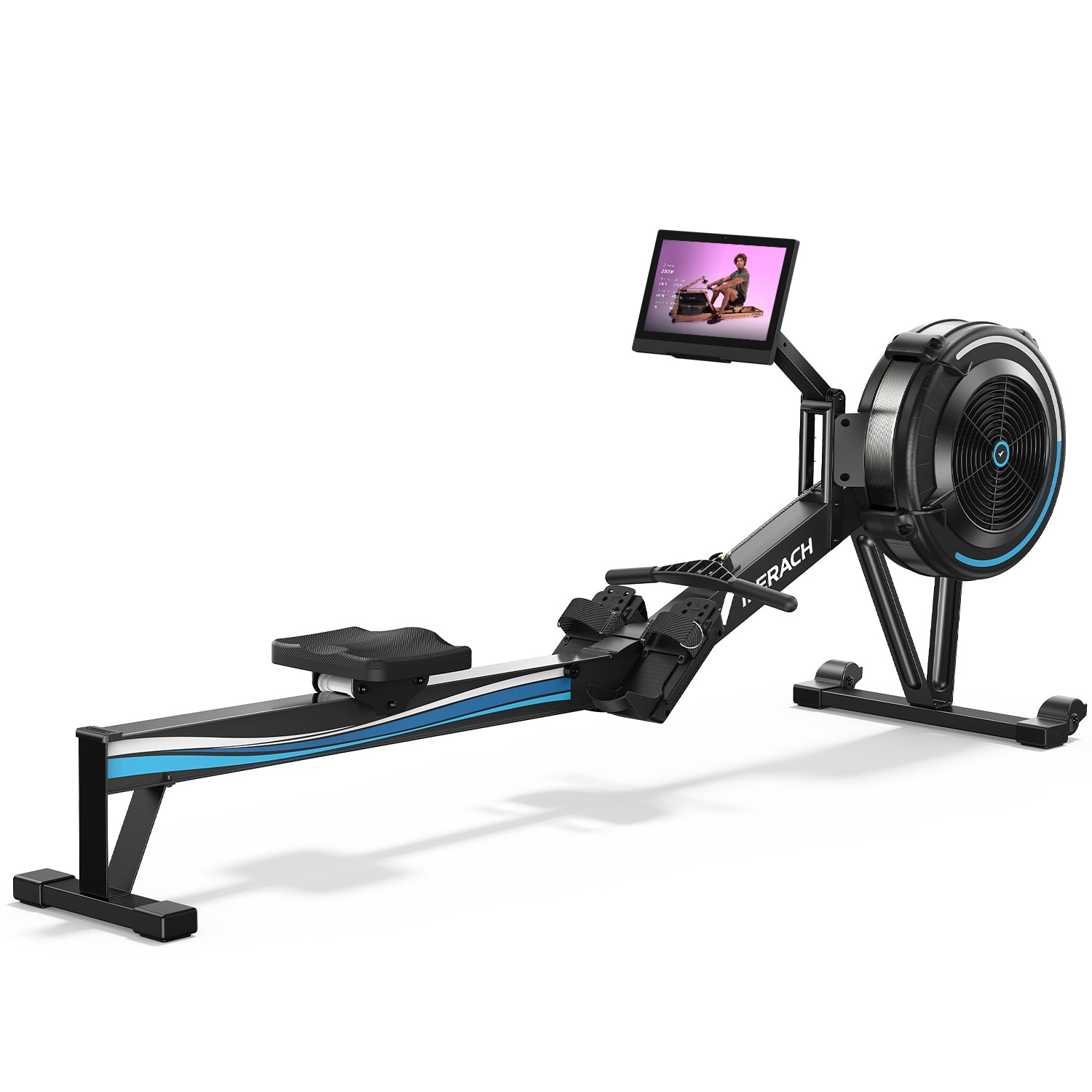
Merach sells three types of rower, and each one changes resistance differently. Check the model number in your manual or on the sticker on the frame (Amazon listings often use codes like R02B12 rather than the product name).
Type
Example Merach models
How resistance works
Where to start
Magnetic
Q1S, R15, RS3, R7
A dial or buttons move magnets closer to the flywheel. Many models have 16 levels.
Level 4–6
Water
CoreRow R28, CoreRow R300, NovaRow 950
The water level in the tank (and a dial on some models) sets the feel. The harder you pull, the more the water pushes back.
The manual's recommended fill, or a low-to-middle setting
Air
NovaRow R50, UltraRow R60N
A fan creates the resistance, so it rises with how hard you pull. Some models also have levels or a magnetic setting.
A low-to-middle setting
Step 1: Set it up properly (10 minutes)
A few minutes of setup stops the wobbles, slips and squeaks that put people off.
Put it on a flat, hard floor. A rubber mat underneath protects the floor, cuts noise and stops the rower creeping.
Level it. If the rower rocks, adjust the footpads under the front and rear legs until it sits still. Merach's Q1S manual says the front platform should sit 5–10 mm above the floor.
Fit the batteries if your monitor needs them. Many Merach monitors run on two AAA batteries. Self-powered models charge themselves while you row.
Strap your feet in correctly. The strap should go across the widest part of your foot, just behind your toes. Tighten both sides so your feet don't slide. Your heels can lift slightly at the front of the stroke, which is normal.
Use the device holder. If your Merach has a phone or tablet holder, that's where your workout app goes, so you can see your plan without stopping.
Claim any included membership. Some Merach rowers come with a Merach app membership. The Q1S manual says to contact Merach with your order ID and app username to get your redemption code.
Step 2: Understand your Merach monitor
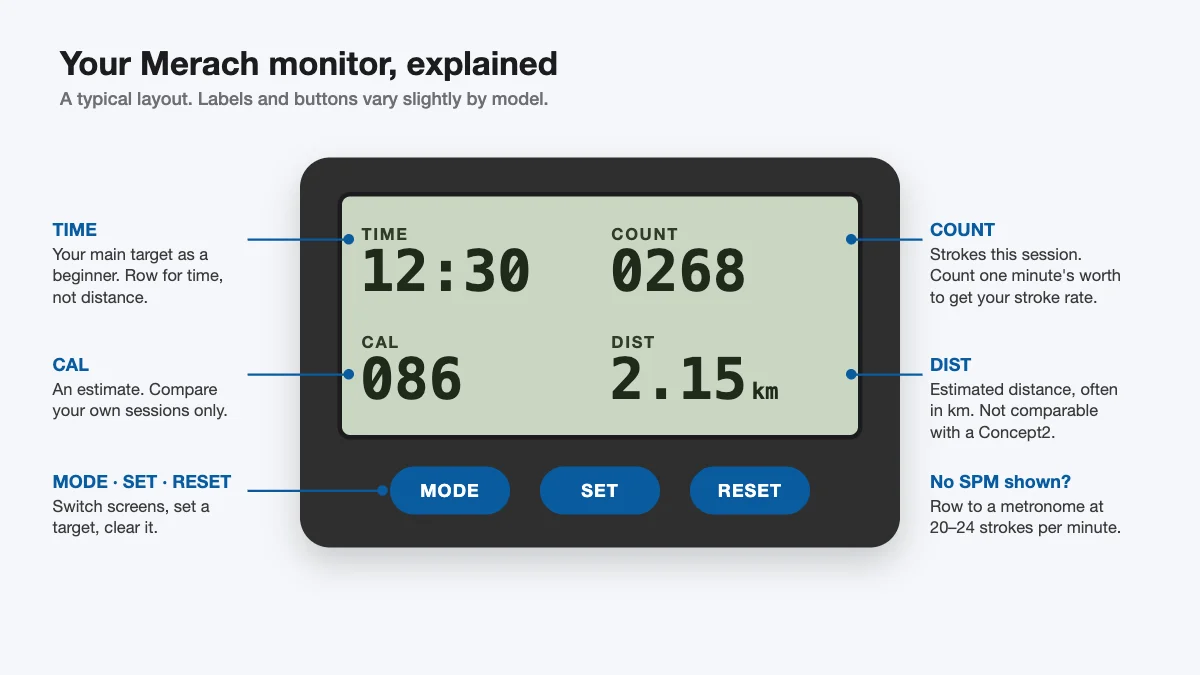
Merach monitors vary by model, but most show the same handful of numbers and have three buttons. Here's what each one means and how to use it.
A typical Merach-style monitor layout. Labels and buttons vary slightly by model.
Display
What it means
How to use it
TIME
How long you've been rowing
Your main target as a beginner. Row for time, not distance.
COUNT or CNT
Strokes in this session
Use it to work out your stroke rate if your monitor has no SPM (see below).
T-CNT or ODO
Total strokes or distance since the batteries went in
Fun to watch grow. Not useful for single workouts.
SPM (on some models)
Strokes per minute, your rowing rhythm
Keep it at 20–24 for most beginner sessions.
CAL
Estimated calories burned
A rough guide only. Use it to compare your own sessions, not as an exact figure.
DIST
Estimated distance (often in km)
Compare it with your own earlier sessions on the same machine only.
The buttons: MODE switches between displays (a long press resets on some models), SET lets you set a target time, distance or calories, and RESET clears them. On the Q1S, the numbers stop counting about 4 seconds after you stop rowing, and the monitor switches off after 4 minutes of inactivity. Both are normal, not faults. On some models the screen also goes blank while the rower is connected to the Merach app, because the numbers move to your phone.
No SPM on your monitor? Note your COUNT, row for exactly one minute, and subtract. The difference is your strokes per minute. Easier still, row to a metronome so you don't have to watch the screen at all.
Why your numbers won't match a Concept2: each brand calculates distance and calories in its own way, so a 2,000 m row on a Merach isn't directly comparable to one on a Concept2 or in a gym. That doesn't matter. Compare yourself with yourself, on the same machine and setting. For more, see our guide to rowing machine displays.
Step 3: Pick your resistance (higher isn't better)
The most common beginner mistake on any rower is turning the resistance up to the top. It feels like a harder workout, but heavy resistance tires your legs and back long before your heart and lungs get much work, and your technique falls apart.
Our rule of thumb for a 16-level magnetic Merach:
Levels 2–4: warm-ups, cool-downs and learning the stroke
Levels 4–8: most workouts, including intervals
Levels 8–12: short strength pieces at a lower stroke rate, once your technique is solid
To make a workout harder, push harder with your legs or row a little faster before you reach for the dial. The same idea applies to air rowers, explained in our damper setting guide.
Step 4: Learn the rowing stroke in 10 minutes
Good technique makes rowing feel smoother, works your legs (where most of the power comes from) and protects your back. There are two halves to every stroke.
The drive (the work): push with your legs, then swing your body back slightly, then pull the handle to your lower ribs with your arms.
The recovery (the rest): reverse it. Push your arms out, tip your body forward from the hips, then bend your legs to slide forward.
Take about twice as long sliding forward as you do pushing back. A useful count is "push, two, three" in rhythm.
A 5-minute drill for your first session (do each step for about a minute, at a low setting):
Arms only: legs straight, body still, just pull and release.
Arms and body: add a small swing back from the hips.
Half slide: bend your knees halfway.
Full slide: the full stroke, slowly.
Full stroke at a steady rhythm.
Three mistakes to watch for:
Bending your knees before your arms are straight, so the handle has to go over your knees.
Rushing up the slide. Slow the recovery down on purpose.
Leaning back too far. A slight lean (about 11 o'clock) is plenty and kinder to your lower back.
Three sessions a week with a rest day between each one. Every session starts with 5 minutes of easy rowing at a low setting and ends with 3–5 minutes easy. Use level 4–6 on a magnetic Merach unless a session says otherwise.
Session
Main set
Stroke rate
Total time
Week 1, day 1: Learn
The 5-minute drill above, then 3 × 3 minutes steady with 1 minute easy between
20 SPM
About 25 min
Week 1, day 2: Steady
12 minutes continuous at a pace where you could still talk
20–22 SPM
About 20 min
Week 1, day 3: Intervals
5 × 2 minutes a little harder, with 1 minute easy between
22–24 SPM
About 23 min
Week 2, day 1: Steady
15 minutes continuous
20–22 SPM
About 23 min
Week 2, day 2: Intervals
6 × 1 minute hard, with 1 minute easy between
24–26 SPM
About 20 min
Week 2, day 3: Benchmark
Row 5 minutes at the hardest pace you can hold steadily. Note the distance on your monitor.
22–26 SPM
About 15 min
Repeat the 5-minute benchmark every four weeks on the same setting. If your distance goes up, you're getting fitter, whatever brand your monitor is.
Want this plan read out to you?
The Rowing Machine Workouts app guides you through beginner plans like this one with a stroke-rate metronome and audio coaching, so you know when to push and when to rest. It works with any Merach, no Bluetooth needed. Free to download on iPhone and Android.
You don't need an app to row, but one makes it far easier to stick with it. Here are the main options and who each suits. (We make Rowing Machine Workouts, so judge our entry accordingly.)
App
Best for
Connection
Cost
Merach app
Merach's own courses, tracking and scenic rows
Bluetooth, on Bluetooth models
Membership. Some rowers include a free period.
Kinomap or Zwift
Rowing through virtual routes and races
Bluetooth, on compatible models such as the Q1S
Subscription
Rowing Machine Workouts
Beginners who want a plan to follow, with a metronome and audio coaching
None needed. Works with any Merach, read your numbers from the monitor.
Free to download, optional premium with a free trial
Many owners use two: the Merach app to log data, and a coaching app to tell them what to do in each session. Whichever you pick, the most important thing is having a plan before you sit down.
Merach troubleshooting: quick fixes
Problem
Likely fix
Monitor is blank or faint
Replace the batteries (often 2 × AAA). Merach notes that the batteries supplied may not last as long as standard ones.
Numbers freeze when you pause
Normal: the monitor stops counting a few seconds after you stop.
Rower rocks or wobbles
Adjust the footpads under the front and rear legs.
Belt noise or squeak
Merach's manual suggests a little car polishing wax on the belt.
No resistance
The belt may have slipped out of the pulley groove. Merach's manual says to centre it on the pulley.
App won't connect
Check that another phone or tablet isn't already connected. Disconnect it, then try again.
Feet slide in the straps
Tighten both straps across the widest part of your foot, and check the pedal fixing screw.
Once a week, wipe the seat rail with a dry cloth so the seat runs smoothly, and check the bolts every few weeks. If something's still wrong, Merach's support team can help, and most models carry a manufacturer's warranty.
What to do after your first two weeks
Once 20 minutes feels comfortable, pick a goal and follow a plan that progresses for you:
What resistance level should a beginner use on a Merach rowing machine?
Start at about level 4–6 of 16 on a magnetic Merach, and use 2–4 for warm-ups. Most workouts stay between 4 and 8. Only go higher for short strength pieces once your technique is solid, because heavy resistance tires your muscles before your heart and lungs.
How long should I row on my Merach as a beginner?
15–20 minutes, three times a week, is a good start. Build up to 25–30 minutes over the first month. Consistency matters far more than any single long session.
Does my Merach show stroke rate (SPM)?
Some models do and some don't. If yours doesn't, note your stroke COUNT, row for one minute and subtract: the difference is your strokes per minute. Or row to a metronome set at 20–24 SPM.
Do I need the Merach app or a subscription?
No. The rower and its monitor work on their own. Apps add structure, courses and tracking, and some Merach rowers include a free Merach membership period.
Why is my Merach's distance different from a Concept2?
Each brand calculates distance and calories differently, so numbers from different rowers aren't directly comparable. Track your progress on the same machine and setting.
Can I use the Rowing Machine Workouts app with a Merach?
Yes. The app works with any rower without connecting to it: set your stroke rate with the metronome, follow the audio cues, and read your distance and time from the Merach monitor.
Make the most of your new Merach
Guided beginner plans, a stroke-rate metronome and audio coaching for every session. Rated 4.5 on the App Store and 4.7 on Google Play.